
Difference Between KML and KMZ
KML vs. KMZ
Both KML and KMZ are file extensions used in Google applications, specifically Google Earth and Google Maps. A person using these two Google applications can encounter a lot of file formats, including KML and KMZ.
Both KML and KMZ files are compatible and can be opened by Google Earth and Google Maps – two Google applications that deal with geographic images.
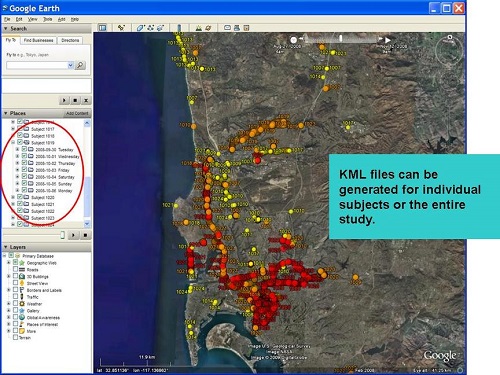
KML is an acronym for “Keyhole Markup Language” developed by Google and Keyhole, Inc.. It is a geographic Information system format. KML contains a lot of graphics and features that can include placemarks, images, polygons, 3D models, textual descriptions, and others. A KML file can be created using Google Earth; if this application is not downloaded or installed, it is impossible to create this type of file. A user can set the longitude (Earth’s imaginary line that runs from North to South) and latitude (an imaginary line that runs from East to West) on the Google Earth application, and the application will create the KML for that user.
After being created and saved, a KML file can be compressed – the compressed file is now called a KMZ file. Since most map images tend to be large in terms of file size and can take a lot of file space, a KMZ file has all the information that a KML file has with little difference in size and more ease in data transfer.
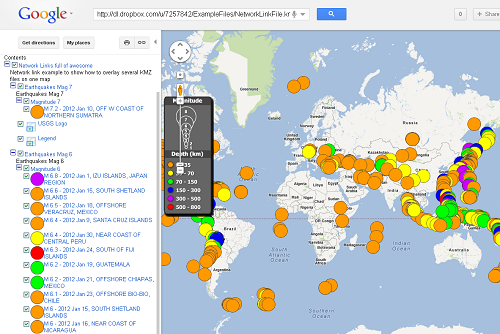
While KML files deal with a lot of graphics and features, KMZ deals with placemarks. Placemarks, or special pointers, indicate the existence of special locations. Special locations can include museums, shopping areas, famous landmarks, and leisure places. Both extension files are used to store images and data during other types of navigation purposes, and this is often the case. Users can easily do this by entering the area location into Google Earth and saving the data and image as a KML or KMZ file. The file is then transferred or uploaded into a mobile phone wherein Google Maps, another Google application, is also installed. The file is then downloaded onto Google Maps, which reads the saved file in an online interface. The user can now use the saved information, like specific instructions on how to navigate and travel to a certain area.
It is often advisable to use KML files instead of KMZ files. Google Earth and Google Maps will have no problem recognizing the two file types, but some programs might not be compatible and will not be able to read the KMZ file. The KMZ file can be imported, but with significant errors. Though KMZ is much preferred due to its lower size and faster download and upload time, the information is meaningless and useless to the user if the file cannot be recognized and opened.
If this problem occurs, a KMZ file can still be reverted back to a KML file through the use of a file expander or any program that unzips or decompresses compressed files.
Summary:
1.“KML” stands for “Keyhole Markup Language,” while “KMZ” stands for “Keyhole Markup Language Zipped.”
2.KML is the file extension for an unzipped file, while KMZ is the zipped version of a KML file.
3.KML is used to save and store map locations in general, while KMZ is used in the same capacity for more specific locations like placemarks.
4.KML has a larger file space and longer data transfer compared to KMZ. As a compressed or zipped file, KMZ has a smaller file space and size.
5.KML can be read and recognized by many geobrowsers or programs that run maps and images like Google Earth and Google Maps; this does not always hold true for KMZ.
- Differences Between Fraternity And Sorority - January 8, 2014
- Differences Between Lucite and Plastic - January 7, 2014
- Differences Between Oil and Butter - January 6, 2014
Search DifferenceBetween.net :
 Email This Post
: If you like this article or our site. Please spread the word. Share it with your friends/family.
Email This Post
: If you like this article or our site. Please spread the word. Share it with your friends/family.
5 Comments
Leave a Response
References :
[0]https://ucsd-palms-project.wikispaces.com/KML+Generator?responseToken=1ff767b2e286f88b661f52efbcd8b38e
[1]https://webapps.stackexchange.com/questions/23400/load-multiple-kmz-files-or-georss-feeds-in-google-maps


“If the said Google application is not downloaded or installed, it is impossible to create this type of file”
Its actually quite easy. Create a text file, type in the desired content, rename to .kml
KML is an initialism, not an acronym.
Regards,
Captain Pedantic
Photo handling seems to be different between KML and KMZ.
On my phone, if a waypoint links to a photo, the KML contains the link to the original file on the phone and does not include the image file.
For the same waypoint, when exported as a KMZ the image file is downloads in the KMZ and the waypoint links to the photo that has been downloaded.
I don’t know if this is standard, or simply the way this app implemented the KMZ. If this is the standard way, then if you have photos linked to your trace DEFINITELY grab the KMZ file. It is easy enough to convert to KML.
Thnx a lot for the info 🙂
Uhh… lots of applications use these file types. GPS tracking, navigation and routing planning all use these file types. I’m not sure why Google is described so prominently as ‘the only ones’ that can use or create this file type, other than the description that they created it.