
Difference Between TV and Computer Monitor
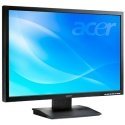 TV vs. Computer Monitor
A few years back, the lines between a TV and a computer monitor were clearly written, and you could not substitute one for the other without going through a lot of difficulties, or paying extra. But now, the lines are beginning to blur, and it is rather easy, although can still be expensive, to replace one with the other. The biggest difference between the two is the resolution. To meet the standards, TV sets need to be at a fixed resolution, and all images that it needs to display are either upscaled or downscaled to meet the resolution. The biggest and most advanced HDTV sets are limited to the 1080p/i resolution, which is fixed at 1920×1080. Computer monitors have always been far ahead of TVs when it comes to resolution, with the latest computer monitors reaching resolutions of 2580×2048. This is because computer monitors are expected to display just about much anything, while TV sets have a very standardized set of inputs.
When it comes to input options, most computer monitors have only a very limited number, with most only having the VGA and/or DVI connector that you would expect a computer to have. A TV set takes input from a wide range of devices. The inputs that you would expect to find at the back of your TV include a composite input, s-video, VGA, HDMI and cable.
There is also the issue of components that go inside a TV set that you would not necessarily find in a computer monitor. A tuner and a bunch of speakers are quite necessary for a TV to perform as a standalone unit. In a computer system, these functions are no longer the function of the monitor, and are handled by other components in the system. To use a computer monitor as a TV set, you need to purchase an external tuner along with a set of speakers.
Lastly, TV sets are much bigger compared to computer monitors. People tend to be much closer to their computer monitors compared to their TV sets, and having a very big computer monitor can be just as bad as having a too small TV. Computer monitors are usually under 30 inches, while 40 to 60 inches is quite normal for a TV.
Summary:
1. Computer monitors tend to have much higher resolutions compared to most TV sets.
2. Computer monitors have limited input options, while TV sets have a lot of input connectors.
3. Computer monitors do not have a tuner, while TV sets do.
4. Computer monitors tend to not have built-in speakers, while TV sets do.
5. Computer monitors tend to be much smaller compared to most modern TV sets.
- Difference Between Sony Cybershot S Series and W Series - December 22, 2012
- Difference Between Samsung Galaxy S3 and iPhone 5 - December 21, 2012
- Difference Between Samsung Galaxy S2 (Galaxy S II) and Galaxy S 4G - December 20, 2012
Search DifferenceBetween.net :
 Email This Post
: If you like this article or our site. Please spread the word. Share it with your friends/family.
Email This Post
: If you like this article or our site. Please spread the word. Share it with your friends/family.


Great article. Good points. Thanks for sharing the difference between a television and a computer monitor.
I still don’t really understand. I knew about resolution differences, but when you compare a similarly-sized LCD monitor with an LCD TV, and hook up a game system to it, or play a movie, it inevitably looks better on the TV (this is at similar or the same resolution and viewing distance).
It makes me think monitors are tweaked for reading text and TVs for moving visuals. But I don’t understand how this difference works.
this is what i have found for the reasons. I have done a lot of research in this now and i think this article will be some more help if you want to know the ‘WHY’s”
“A monitor can output 1920×1080 and is sitting 18 inches from your face. A TV can output 1920×1080 and is sitting 6’6″ from your face.
Monitors are more costly because they have a higher pixel density and are designed for up-close viewing. A 60” screen with ‘monitor-like’ qualities could easily output imagery with many times more pixels than “HD” quality (likely upwards of 10000×10000 pixels).
Another feature, although less prominent now, is refresh rate. Monitors typically have higher refresh rates than TVs. Consider that a high-end TV outputs at 120Hz. Most monitors will advertise a 3-5ms response time or about 200-350Hz, which means you get less image ghosting.
NinjaEdit: Apart from these two things, there is no difference. If you’re okay viewing a 1920×1080 picture stretched across a 60″ screen or viewing at a slightly lower refresh rate then you’re good to go.”
Hope this helps out.
A monitor can output 1920×1080 and is sitting 18 inches from your face. A TV can output 1920×1080 and is sitting 6’6″ from your face.
Monitors are more costly because they have a higher pixel density and are designed for up-close viewing. A 60″ screen with ‘monitor-like’ qualities could easily output imagery with many times more pixels than “HD” quality (likely upwards of 10000×10000 pixels).
Another feature, although less prominent now, is refresh rate. Monitors typically have higher refresh rates than TVs. Consider that a high-end TV outputs at 120Hz. Most monitors will advertise a 3-5ms response time or about 200-350Hz, which means you get less image ghosting.
Apart from these two things, there is no difference. If you’re okay viewing a 1920×1080 picture stretched across a 60″ screen or viewing at a slightly lower refresh rate then you’re good to go.
Thanks very much for the above info. I have a question which is a bit more specific; maybe anyone can help me with it?
Suppose I have a TV 24″1080p (1920×1080) 5 ms and a monitor 24″ 1080p (1920×1080) 5 ms.
Can I still expect a difference in image quality when I use the TV as a computer monitor? f.i
1. When the LCD’s are produced. (For TV and monitor) Are they coming form the same production line? Is there a quality check which filters them to use for one or the other?
2. Are the electronic circuits directly steering the LCD different? (F.i. one optimized for stability, the other for speed?)
3. Is the translation logic, which is used to read the signal from the hdmi port identical for TV and monitor? (Again, one build for speed, the other for stability of the image?)
Thanks very much for this enlightening on this topic
Can TV’s be used for computer monitors and if they can, what are the instructions to set it up.
Thank you